 online help
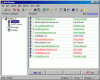
Dialog box �Import Details�
Specify a group of recipients where you would like to place new recipients to. Click the �Ok� button to confirm your choice and start the process.
See also:
� About the program
� Purpose of the program
� How to send messages
� How to work with BML
files
� User interface
� How to register
|
|
Send personalized email utilizing mailing lists! | |
 Back
to Mail Bomber online help
Back
to Mail Bomber online help